svn diff allows us to see the changes made on the files in the subversion repository. However, its output is not always clear. New lines are just marked with '+' and removed ones with '-'.
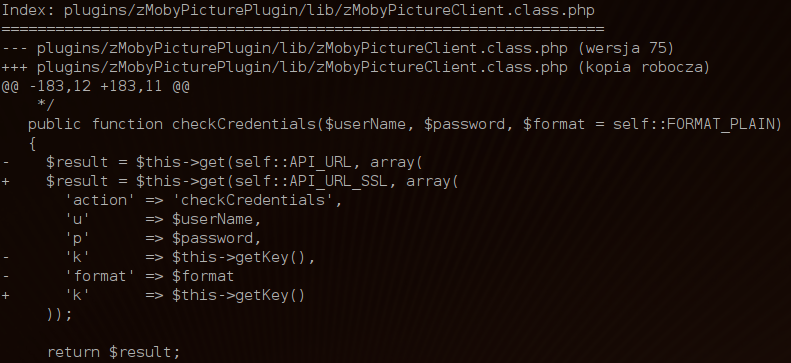
We can improve our experience a bit by installing colordiff. It wraps diff command and produces the same output but coloured.
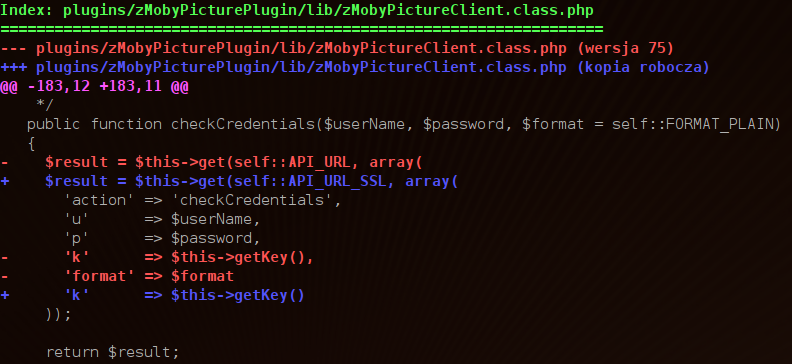
In ubuntu it's as simple as running:
sudo aptitude install colordiff
Once doing that we should be able to redirect the output of commands like diff and svn diff to colordiff and view it in colors:
svn diff plugins/zMobyPicturePlugin/lib/zMobyPictureClient.class.php | colordiff
To improve it even more we can declare simple function in ~/.bashrc file (using it requires re-login):
svndiff()
{
  svn diff "${@}" | colordiff
}
Function will make the command shorter:
svndiff plugins/zMobyPicturePlugin/lib/zMobyPictureClient.class.php
Note: You can achieve pretty much the same with vim. To learn about it read: "Viewing svn diff result in vim".